
高级版
TV 模式:在任何屏幕上展示您的锦标赛
在场地的智能 TV、Chromecast、笔记本-HDMI 和平板电脑上自动循环排名、对阵图和实时结果.
实时刷新、品牌颜色、9 种语言。

使用方法
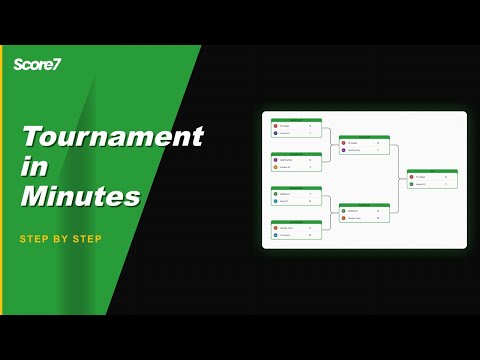
从侧边栏打开 TV 模式
在任何比赛内,选择 TV 模式并选择要循环的视图。
投射或连接
在智能 TV 浏览器中打开 URL、通过 Chromecast 投射,或用 HDMI 连接笔记本电脑。
从比赛侧边栏打开 TV 模式,选择要循环的视图(排名、赛程、结果、对阵图),并投影到任何 HDMI 显示器、Chromecast 或智能 TV 浏览器。实时刷新让屏幕保持最新;品牌颜色让其符合主题。.
了解更多
TV 模式为何重要
专为大屏幕设计
自动循环排名、对阵图和实时赛程,让场地显示讲述比赛的整个故事。
实时刷新
在您用手机记分时同步更新,无需手动刷新,屏幕不会过时。
符合品牌
比赛颜色和徽标得以保留。选择适合您活动的视图和循环顺序。
Frequently asked questions
TV mode shows the live bracket, the next matches, current scores and the standings in a clean full-screen layout. It refreshes automatically so a screen at the venue stays current without anyone touching it.
Yes. Open the TV mode link in any browser on the screen. Works on smart TVs with a browser, on a laptop hooked up via HDMI, or on a tablet wall-mounted at the entrance.
Yes. Scores, brackets and standings update automatically as you enter results from your phone or laptop. The screen at the venue stays in sync without any manual refresh.
TV mode is part of the Premium plans. The Starter plan includes the regular public link, which works on any screen but without the dedicated full-screen layout.
相关页面
面向俱乐部、协会与高级赛事组织者
专为大规模比赛设计,Score7 帮助你轻松管理多个场地、阶段与权限设置。
比分直播分享
使用公开链接实时分享比分结果,无需登录,无需下载。
更新于
准备好开始你的锦标赛了吗?
加入已经在使用Score7的20,000多名组织者。
从 Starter 方案起步
无需信用卡
2分钟内即可设置完成