
无需手动处理的报名流程
选手自助报名参加比赛
选手和球队通过公开页面填写报名信息。你可以手动或自动审核,设置参赛限制和截止时间,记录付款,准备就绪后即可生成赛程。.
包含公开报名页面和管理员后台。

How it works
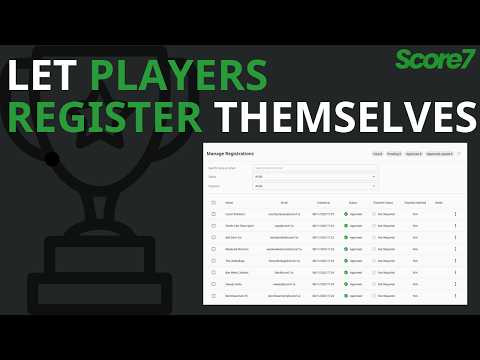
Configure registrations
Enable registrations, set approval mode, capacity, deadline and timezone, and optionally add an entry fee.
Share the Register page
Participants submit name and email and get a confirmation email with a magic link and 6-digit access code to manage their entry.
Approve and finalise
Review entries in the dashboard, update payment status, and when ready click Generate Fixtures to lock registrations and create matches.
创建一个公开报名页面,参赛者填写姓名和邮箱。系统会发送确认邮件,包含管理链接和六位数验证码。你可在后台查看所有报名,设置审核方式、限制人数、截止时间,并跟踪线下付款(即将支持 Stripe 在线支付)。准备好后,点击生成赛程,即可将通过的报名转为正式参赛选手并安排比赛。.
了解更多
Why self-registration helps
Save hours of admin
Participants register on a public page; you review and manage everything in one dashboard instead of email and spreadsheets.
Stay in control
Auto or manual approval, capacity limits, deadlines, suspend or reopen anytime. Public list shows approved entries.
Finish fast
Generate Fixtures converts approved registrations into participants and creates the matches when you are ready.
Frequently asked questions
Enable self-registration in tournament settings and Score7 generates a registration link. Share it and players sign up with their name, contact and any custom fields you set up. You approve or reject each entry.
Yes. Each registration goes into a pending list and you choose to approve, reject or edit it. Useful for paid events, age categories or skill-divided draws.
Yes. Add fields for shirt size, dietary needs, partner name, club affiliation, age group or anything else you need to collect. Custom fields are part of paid plans and the answers are visible to admins on the participants page.
更新于
准备好开始你的锦标赛了吗?
加入已经在使用Score7的20,000多名组织者。
从 Starter 方案起步
无需信用卡
2分钟内即可设置完成